




Packing Checklist
The check status is saved only in this browser. Sign Up (Free)It syncs between your smartphone and computer, and you can save up to 10 travel lists.
A Personalized Packing List You Build with Every Trip
Sign up for a free membership to sync your smartphone and computer. Save up to 10 trips and reuse them anytime.
Recommended Travel Items
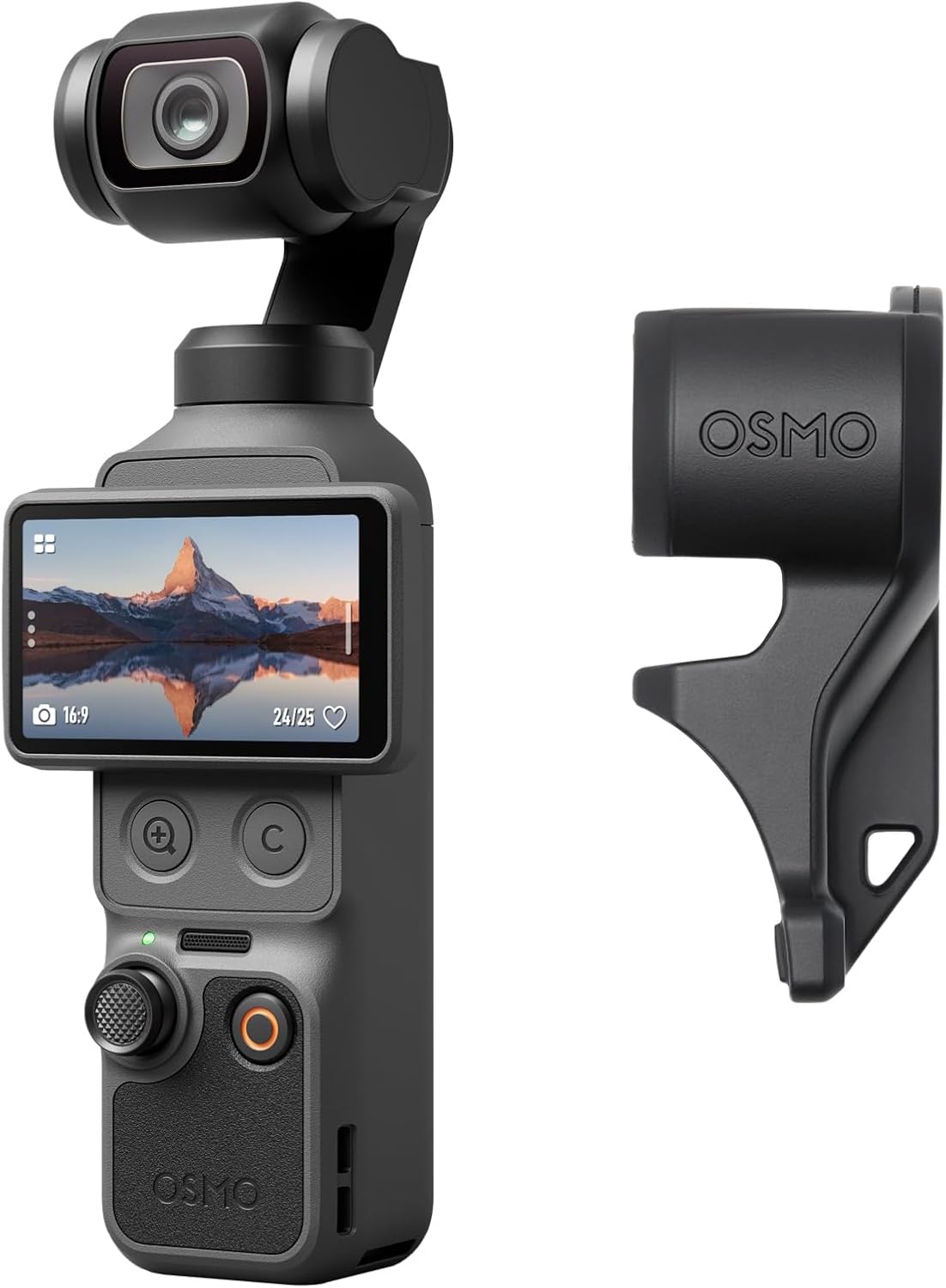
DJI Osmo Pocket 4 Standard Combo


Anker Power Bank (10,000 mAh, 22.5 W)

ReFa Finger Iron ST Hair Iron

Flandry Washable Compact Net

Amazon Fire HD 10 Kids Edition (10-inch)

Insta360 GO 3S

Anker Nano Power Bank (22.5W, USB-C)

POMULU Hip Seat Shoulder Bag

Konciwa Sun Umbrella: Shape-Memory, One-Touch Folding Umbrella
Basic Operations for the “Packing Checklist”
1. A simple 3-step check with just a tap
Each time you tap (or click) an item in the list, its checkbox status changes. The packing progress is also calculated automatically.
Double-tap (red ×): I won't be taking this with me this time (it will be disposed of as unwanted items)
Tap 3 times (colorless): Return to an undecided state
2. Turn on only the genres you need
We offer specialized categories tailored to your travel purposes, such as “Families with Children,” “Beach Activities,” and “Business Trips.”
If you set the toggle switch in the upper-right corner of each category to “ON,” that list will expand. If you set the toggle switches for categories you don’t use to “OFF,” the screen will look cleaner and be easier to read.
3. Add “Items Just for You”
If there's an item you're thinking, "It's not on the list, but I definitely want to bring it!", you can customize your list as you like.
Simply enter the item name in the text box at the bottom of each category or in the permanent "My Belongings" category, then click the "Add" button. You can delete any added items at any time by clicking the "×" button.
4. Organize lists by destination (using tabs)
You can create and manage separate lists for each trip, such as “Summer Trip to Miyako Island” and “Winter Business Trip to Tokyo.”
Tap the “+” button (or “Set Up Trip”) at the top of the screen to create a new trip tab. Setting the trip’s “Title,” “Destination,” “Length of Stay,” and “Season” will make it even easier to plan what to pack.
5. Additional Convenient Features (Menu at the Bottom of the Screen)
Frequently Asked Questions and Important Notes
Will the information I enter in the checklist be saved?
Yes. If you're logged in after registering for the free "Okibura Members" program, your checked items and added items will be saved automatically. They will also be synced between your smartphone and computer. If you're not logged in (as a guest), they will be temporarily saved only within the browser you're currently using.
Can I add "my own personal items" that aren't on the list?
Yes, you can! Enter the item name in the text box at the very bottom of each category, or in the "My Own Items" category at the very bottom, and then click the "Add" button. You can delete any added items at any time.
Can I hide categories I don't use, such as "Family" and "Beach Activities"?
Yes, if you set the switch in the upper-right corner of each category to “OFF,” you can collapse that list and hide it. Please turn on only the categories you need based on the purpose of your trip.
Can I use this for domestic travel to destinations other than Okinawa?
Of course you can! Click the "Set Up Trip" button to freely specify your destination prefecture, season, and trip type, and create a new list tab. Feel free to use this feature for a variety of occasions, such as business trips or hot spring getaways.
Can I print the checklist or save it as a PDF?
Yes, you can. If you tap the "Print/PDF" button at the bottom of the screen, you can print the checklist on paper or save it as a PDF on your smartphone or computer. This is useful for doing a final check before packing.
Do I need a heavy-duty outer layer (such as a down jacket) for a trip to Okinawa?
Since Okinawa has a relatively mild climate year-round, you rarely need a heavy-duty down jacket. However, from December through February, strong northerly winds can make it feel colder, so it’s a good idea to have a windproof jacket or a mountain parka on hand. During the other seasons, a light cardigan or similar garment is usually sufficient.
Do hotels in Okinawa provide pajamas and toiletries?
Most resort and business hotels provide pajamas and basic amenities (toothbrushes, shampoo, etc.). However, since the type of pajamas provided (separate top and bottom or a one-piece style) varies by hotel, we recommend bringing your own pajamas if you have specific preferences.
When renting a car, are there any items you absolutely must not forget to bring?
If you plan to rent a car, be sure to bring your “driver’s license (for everyone who may be driving)” and an “ETC card.” There are toll roads in Okinawa (the Okinawa Expressway), and having an ETC card allows you to pass through the toll gates smoothly.
What should I bring in case I suddenly feel sick or get injured?
It’s a good idea to bring along your usual “over-the-counter medications (such as stomach medicine and pain relievers),” “motion sickness medication (for water activities or boat rides),” and “band-aids.” Also, be sure to bring your “health insurance card” in case you need to visit a hospital.
I don't really want to carry a lot of cash with me. Is Okinawa cashless-friendly?
Most large hotels, tourist attractions, and shops around Kokusai-dori accept credit cards and QR code payments. However, many local diners, markets, and independently owned izakayas still operate on a “cash only” basis, so we strongly recommend carrying some cash with you.
Promotions & Coupons
Search by Scene or Feature
Search by Area
Around Naha AirportNaha City and Tomigusuku City
Southern Main IslandHimeyuri · Sefa Utaki
Central West CoastChatan, Yomitan, Ginowan
Central East CoastOkinawa City, Uruma, Kaichu Road
Onna, Kin, and GinozaOnna, Kin, and Ginoza
Northern Region · NagoNago, Motobu, Nakijin
YanbaruKunigami, Ogimi, and Higashi Village
Kerama IslandsTokashiki, Zamami, Aka
From Naha to the Outlying IslandsKumejima, Aguni, and the Daito Islands
Islands Near the Main IslandTsuken, Kudaka, Ie, Iheya, and others
Miyako IslandsMiyakojima City and Tarama Village
Ishigaki and YaeyamaIshigaki City, Taketomi Town, and Yonaguni Town
News About Travel to Okinawa
- NEW【本部町・オリオンホテル モトブ】「伊江島黒糖と沖縄冬の味覚フェア」11/16〜2/15、黒糖削り体験も
- NEW【小浜島・リゾナーレ小浜島】かりゆしサンタが海から登場、クリスマスイベント「アイランドクリスマス」12/1〜12/25
- NEW【恩納村・ホテルみゆきビーチ】年末年始イベント2026-2027、カウントダウンライブや年越しそばの振る舞いも
- NEW【名護・あけみおてらす】国道58号線沿いの「森の棟」が12月グランドオープン、県内初出店のイタリアンなど最大9店舗
- NEW[Hilton Okinawa Chatan Resort] Christmas 2026: “A Serene Christmas with Stars Shimmering in the Deep Sea,” November 7–December 26
- NEW[Oriental Hotel Okinawa Resort & Spa] 5th Anniversary of Rebranding “Gratitude Fair” November 4–December 10: “Legendary Menu” Makes a Comeback
- NEW[Kohama Island · Haimurubushi] Christmas Limited-Time Stay Package Featuring Veuve Clicquot and a Starry Night Sky—Available Only from December 1 to December 25
- NEW[Senaga Island Umikaji Terrace] From October 24 to November 8, 13 shops will offer exclusive evening menus! On the first day, there will also be a Halloween stamp rally, a night market, and a night stage performance.